
Dispatch & loads
Rate con in. Load out.
Drop the PDF, a photo or a screenshot, or open the broker's email in Mail. AI fills in the stops, the numbers, the rate and the notes; you check them and save. From there the load goes to the driver's phone.
Rate cons are read by Google Gemini. You always see the result before the load is saved.
What's in it
Built for the dispatch desk
The parts you touch fifty times a day, without a second screen to keep them in.
Any rate con
A PDF, a phone photo or a screenshot. AI reads the stops in order, PU and delivery numbers, appointment times, the rate and the driver's notes.
Mail that knows your loads
Connect your mailbox, or forward to the company's address. A rate con waits as a draft load, broker replies find their load by its numbers, and you answer from your own address.
Routes that count their miles
An empty start, then pickups and drops in order. Loaded and empty miles come from HERE maps and update when the route changes.
The week on one board
A row per driver with truck, trailer and phone, and the loads on their days in status colors. Double-click a day to book that driver.
A list that keeps up
Change the status of many loads at once, pick the columns, see totals and missing papers, export CSV. Copy a load to book it again.
No double booking
The same PO from the same broker is refused. When two people change the same field, the second save stops and shows what the other one changed.
Tasks for the office
A to-do with an owner, a due date and comments, tied to a load, a driver or a truck. The bell tells the owner, and reminds them the day it's due.
EDI tenders
For brokers who tender by EDI: upload their 204 file and Accept makes the load with its stops, times and rate, and writes the 990 for you to send back.
Status emails to the broker
Turn them on for a load and up to three broker addresses get an email at each step the driver marks, with the tracking link. Never the rate.
The rate con arrives. The draft is waiting.
Connect Outlook, Gmail, iCloud or any mailbox once, or forward to your company's address. New mail shows up within seconds; each rate con is read into a draft load you confirm, replies about a load land on that load's card, and the broker's status updates go back as replies in its thread, from your address.
- Reply, forward and write new mail without leaving KAROM
- Mail finds its load by the load, PO and reference numbers in it, and by the thread
- A revised rate con shows what changed, for you to accept or reject
EDI
The broker tenders by EDI. You press Accept.
A broker's 204 arrives over AS2, or you upload the file, and the tender waits under EDI with its stops, time windows, PO and rate. Accept makes the load and writes the 990; Decline writes a 990 that says no. Changes and cancellations from the broker show on the tender and on its load.
- A 214 for each stop time the driver marks, and a 210 once the invoice is made
- The owner sets your EDI id and each trading partner, and which files go to them
- Over AS2, signed and encrypted, files go and come by themselves; upload and download work for partners without it
The board
Who's loaded and who's empty, at a glance
The week laid out per driver: each load sits on its days, colored by status, with the truck, the trailer and the phone on the row. The colors move on as the driver marks each stop.
- Picking a driver fills in their truck and trailer
- Brokers come with their FMCSA status, and a warning when the authority is inactive or pending or there's no bond
- A bell tells the load's dispatcher when a driver marks a stop or sends a paper
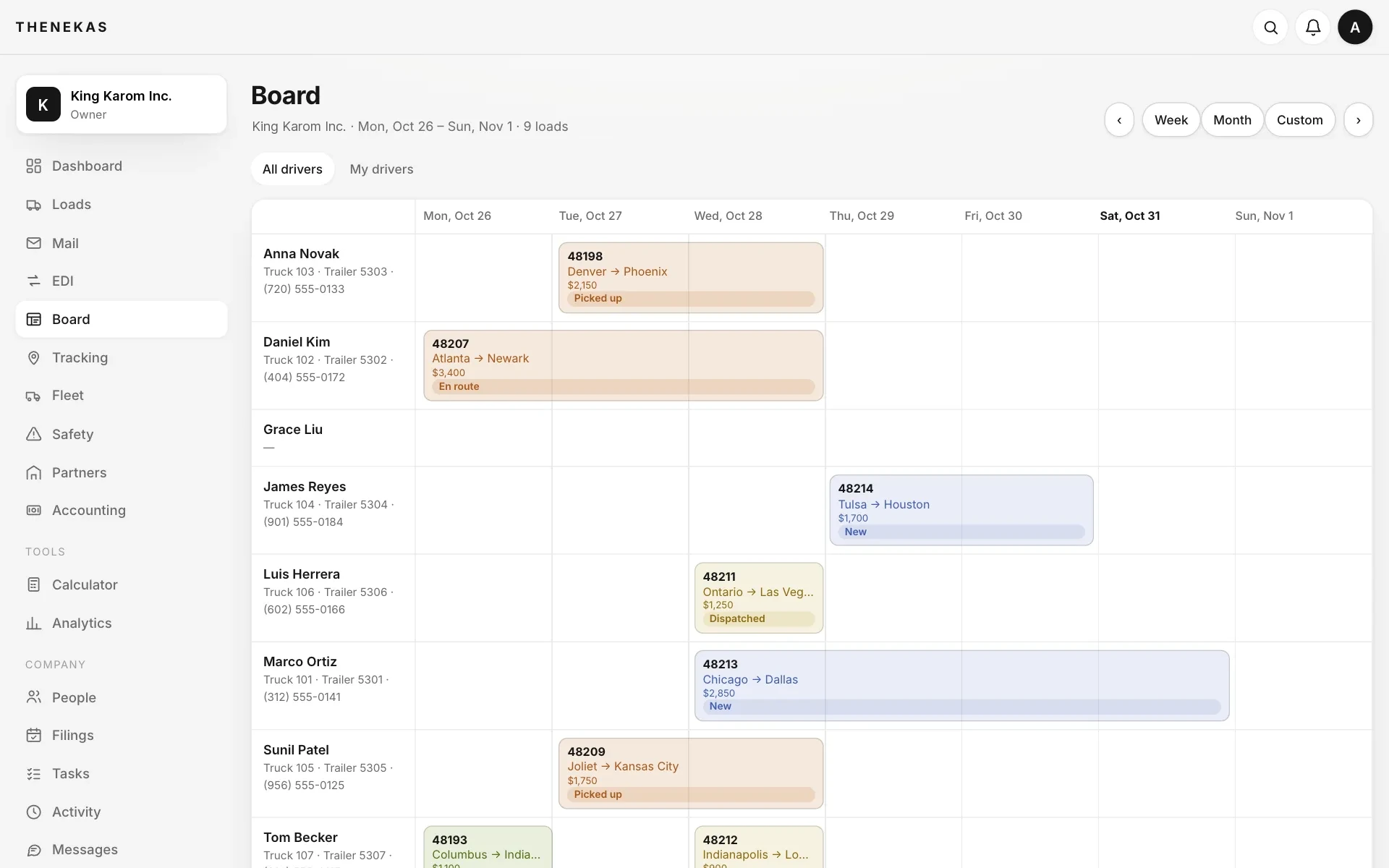
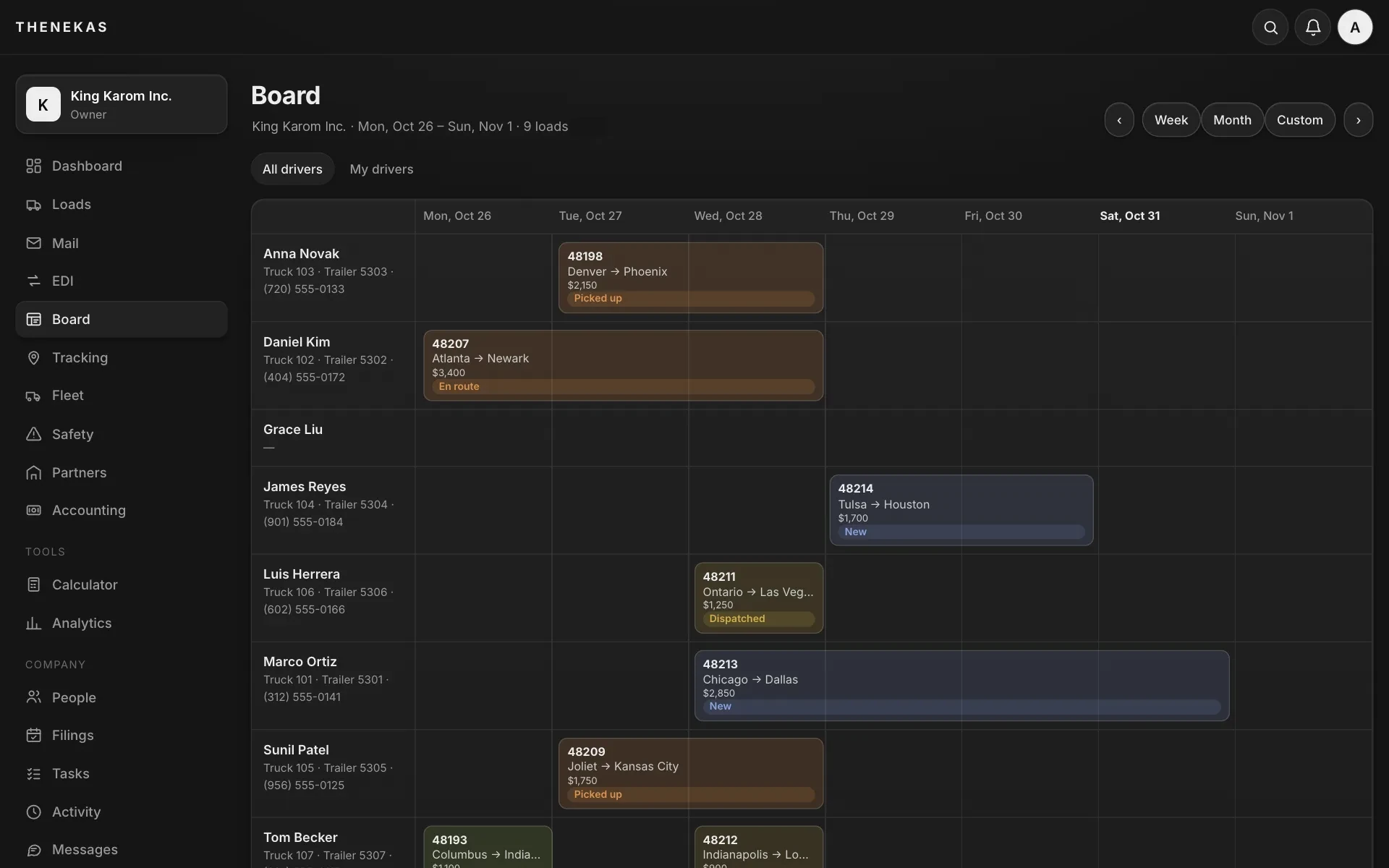
Demo company. Loads and drivers are made up. Swipe sideways for the whole screen.
How it works
From the broker's email to the driver's phone
- 1
Drop or forward
A PDF, a photo, a screenshot, or the broker's email sent on to your company's address.
- 2
Check and save
AI fills the form and Dispatch Info shows next to it. Fix what's off; the PDF is kept as the load's rate con.
- 3
Assign
Pick the driver and the load shows up in their app. Text, email or WhatsApp them the details too if you like.
- 4
Follow it
Stop times and papers come in from the driver; the board and the load's history keep up.
Related
Where the load goes next
Book the next load here.
Create the company and drop one rate con to see what comes out. Free during early access.